Description
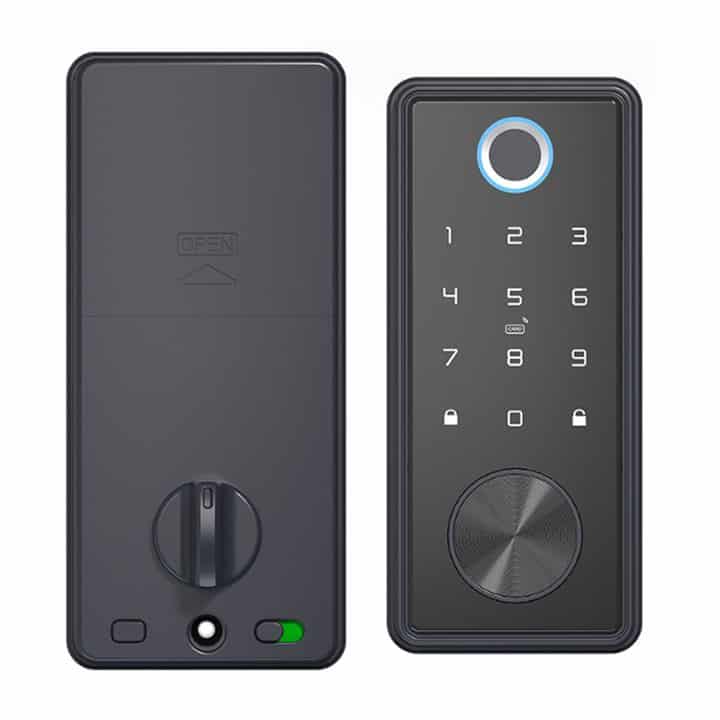
Smart T1 Lock | Fingerprint, code and key | Tuya Smart Life
The Smart T1 Lock is a versatile digital security solution designed for both residential and commercial use. It is primarily known for its multiple access methods and seamless integration with smart home platforms.
Colour Options: Now available in Black or Silver
User Manual Download [click here]
Product features
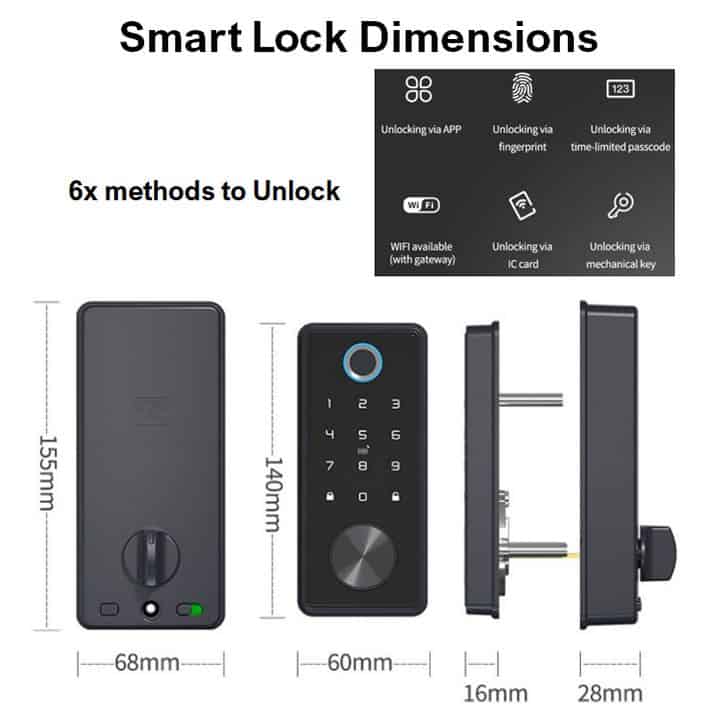
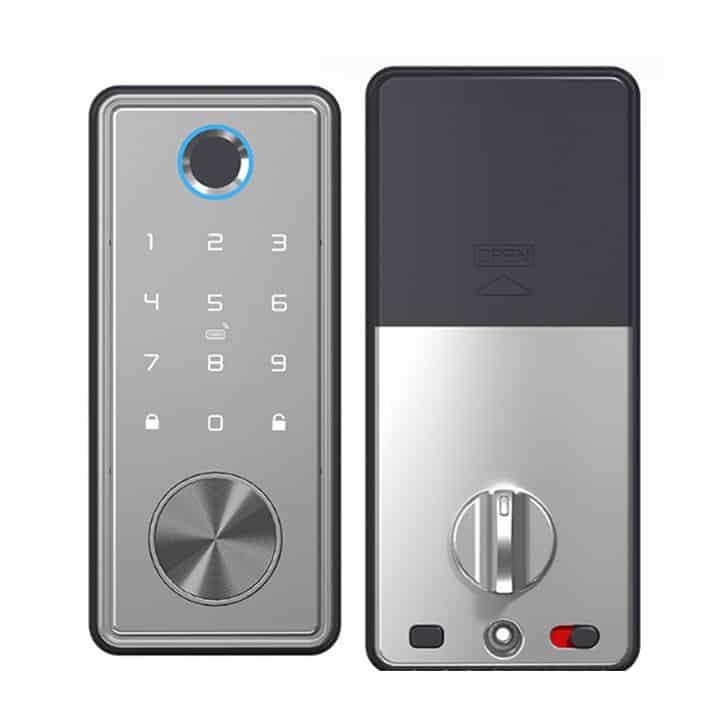
- The lock is a 6-in-1 lock, offering several ways to manage access:
- Biometric fingerprint
- Digital passcode
- App control
- Card
- Mechanical key
- Temporary passcodes
- Auto-locking: the system can be set to automatically engage the deadbolt once the door is closed.
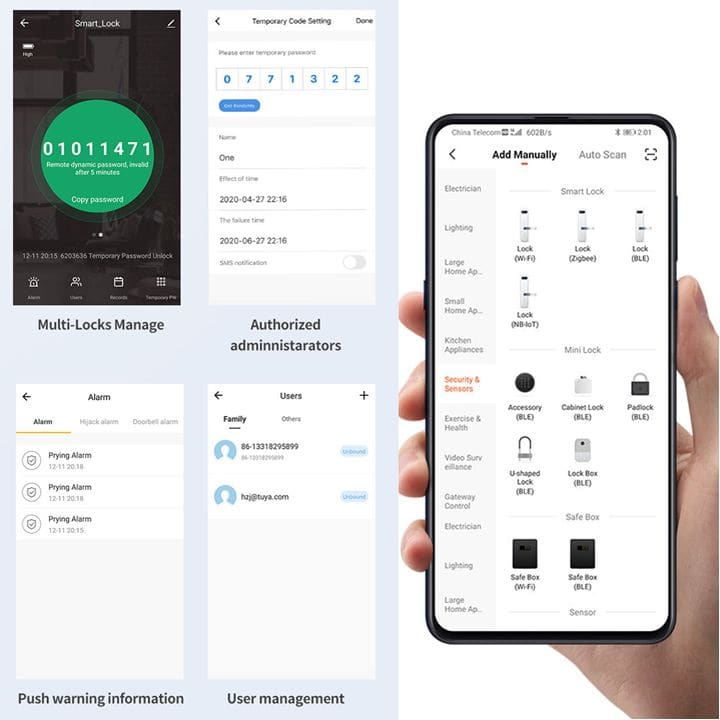
- Real-time notifications: receive instant alerts on your smartphone whenever the door is unlocked or if someone attempts to tamper with the lock.
- Access management: You can name different users in the app to track exactly who entered and at what time.
How to add the smart lock to the Tuya smart app?
Some Tuya smart locks are not in ‘pairing mode‘ by default for you to add them to the Tuya smart apps, like some of the Tuya smart products. You need to press some buttons on the lock to get it into ‘pairing mode‘. Here are the steps to get the smart lock into pairing mode:
- Step 1: touch the keypad until it is active (you should hear the voice ask to enter ‘input unlock information‘).
- Step 2: enter * and #. It will then ask to enter the administrative passcode (the default administrative passcode is in the instruction manual). After entering the administrative passcode, press #.
- Step 3: The lock will then read out 4 numbers.
- 1: is to go into admin settings (to add or delete admin).
- 2: is to go into user settings (to add or delete users).
- 3: is to go into system settings.
- 4: is to factory reset the smart lock.
- Step 4: Press number 1 (to go into admin settings).
- Step 5: The lock will then read out 3 numbers:
- 1: to add a new admin
- 2: to delete an admin
- 3: to go into network settings
- Step 6: Press number 3 (network settings).
- Step 7: The smart lock will read out 2 numbers:
- 1: hotspot connection
- 2: intelligent connection
- Step 8: Press number 1 (hotspot connection). When you have selected 1, the device will now be in ‘pairing mode‘. You can now go into the Tuya smart app on your smartphone. The device should be automatically detected, and tap on the smart lock that is being detected. If the device is not being detected. Scroll down to Camera & lock. Then look for Lock(WiFi). The app should now detect your smart lock.
Please note that to add the tags or cards that were provided, you need to add them as an admin or a user. Please follow steps 1 to 5.
Specifications
- Model: T1 lock
- Material: aluminum alloy
- Door thickness: 35-50 mm
- Operating current: <500mA
- Static current: <50μA
- Operating temperature: -20°C ~ +70°C
- Operating humidity: 20% ~ 80% RH
- Power supply: 4x AA alkaline batteries (batteries not included)
- Administrator capacity: 9
- Fingerprint capacity: 100
- Passcode capacity: 200
- Card capacity: 200
- Code length: 4 ~ 8 digits
- Dimensions:
- Front body: 64 x 144 x 17 (W x H x D in mm)
- Back body: 73 x 161 x 48 (W x H x D in mm)
Note: This lock is not waterproof-rated and must not be exposed to direct sunlight or rain. To use the lock remotely, the visitor needs to enter a special key to access the remote function.
Typical applications (not limited to)
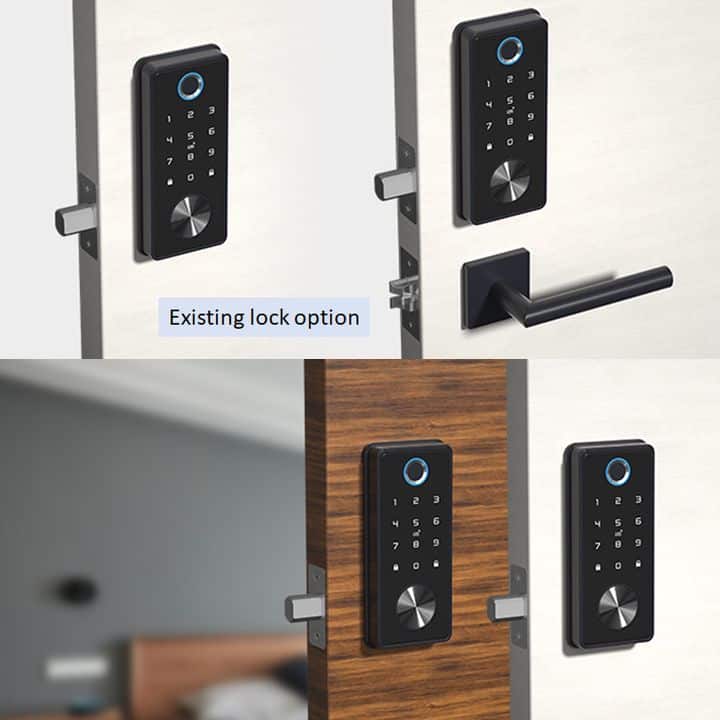
- Indoor apartments
- Offices
What is in the box?
- 1 x Front body
- 1 x Back body
- 1 x Drilling template
- 1 x Deadbolt
- 1 x Strike plate
- 1 x Mounting kit
- 2 x Cards
- 2 x Keys
FAQ’s
- Why should I choose Tuya above all the other Smart Home Automation Platforms? [click here]
- How do I get started? [click here]
- What devices can presently be Smart Automated? [click here]
Home Automation is made Smart, Simple, and Affordable via the Tuya and Smart Life Apps (Android or iOS), offering the fastest, most stable platform and the widest range of Smart Products. Supports Alexa Echo Dot, Google Home, IFTTT, and more…
Reviews
There are no reviews yet.